5 Best VPS Hosting in 2025

VPS hosting is a popular form of hosting available for purchase online, though it’s not as common as shared web hosting.I’ll explain what VPS means soon, but the short version is that it’s higher quality and also more expensive than entry-level web hosting, but not as intense as the most premium hosting.

VPS hosting is great for hosting experiments and websites that need to deal with a lot of traffic or consume a lot of resources. It’s great for stability and performance.

If you’re running a business, or need hosting for big projects online, then you need to know what the best VPS hosting is.

Best WordPress Alternatives (2025) Site Builder, CMS, Blogging

Let’s talk about WordPress alternatives.

But first, listen to this:

If you have any interest in content creation or web development, you’ve heard of WordPress. Heck, you might be reading this because you’re tired of WordPress.

Whatever the case, WordPress is enormously popular, but it’s not all that’s available. In this list, I’ll detail some of the best alternatives to WordPress from multiple perspectives.

I am primarily suggesting alternatives to WordPress.org, but most of these are also alternatives to WordPress.com. Without further ado, let’s get started!

To a get a clear idea, jump to the categories’ section of your interest.

HostPapa Review (2025): Complete Coverage

A well-planned business requires the utilisation of online resources in a planned and productive way. HostPapa offers its clients with an all-in-one experience with website creation and management and top-class hosting services accompanied by highly reliable servers.

HostPapa offers the most attractive options to small businesses. It presents cheap and easily accessible plans to ignite the online presence of new startups.

From WordPress hosting to gSuite tools, from Office 365 to DIFM (Website Design and Management Services), this hosting service supports your business in every way possible.

Submit review

Submit a short but detailed review and get FREE link to your website.

Review Title

Ratings

Uptime

Performance

Value for money

Customer Service


Overall Rating

Upload image (Optional)


Jul 14, 2022

Uptime

Performance

Value for money

Customer Service

Overall Rating

The best website hosting service I've ever used to build a website is HostPapa, hands down. It is incredibly user-friendly and accessible. The service is quite inexpensive, yet you get the highest quality for the money. Your company will be in the best hands to increase future website traffic. that you fully enjoy and feel at ease with. The website offers a staggering number of functions, which is truly great. There is such a wide selection to choose from that it's suitable for needs at both the beginner and intermediate levels. The service is dedicated towards committed security, support I can trust and even user friendly control panels that are easy to understand. I would 100% definitely recommend this website hosting service more than any other I've used before.

BigCommerce Review: How good is it in 2025?

Let’s talk about BigCommerce.

But first, hear me out:

We’re well into this year now—meaning there’s an application for EVERYTHING.

And that ALSO means your customers can buy anything online. So why not add your business to the mix?

But if you need applications for building your online business, then you’ve got a LOT of options.

There’s a lot of software around that will let you build a website that can sell products to customers.

The two most popular of these are probably Shopify and WooCommerce, but there are many others, with a range of abilities and prices.

DreamHost Coupon 2025 — Discounts Up to 50% OFF

If you are looking for DreamHost Coupon codes, you are at the right place.

How to Apply DreamHost Coupon Code?

All you need to do is click the below button and the discounts will be applied on the DreamHost page:


About DreamHost

Founded in 1998, Dreamhost is a popular, award winning Web Hosting Company that powers 1.5 million websites, blogs and apps. DreamHost provides affordable Linux Shared Hosting, VPS and Dedicated Hosting.

DreamHost provides an unheard of 97 day Money Back Guarantee.  They are so confident that if you cancel their hosting within 97 days, they will refund all your money – no questions asked.

Unlike other hosting provides, Dreamhost does not restrict resources in any form. So, they offer Unlimited Storage & Bandwidth, Unlimited Domain Hosting and Unlimited Email Accounts.

5 Best DigitalOcean Alternatives in 2025

Let’s talk about DigitalOcean alternatives.

But first, listen to this:

Did DigitalOcean do you dirty? Are you not satisfied with their services?

For once, it is a bit over-the-top if we’re being honest. They seem to focus more on developers rather than the everyday guy.

So if you’ve already made up your mind about leaving them or are looking for further reasons, here are a few:

  • Like its competitors (AWS, Azure, Google Cloud, etc.), there are no advanced capabilities like CDN, limited BSD features, etc.
  • Long customer support response times
  • Flimsy documentation
  • No enterprise-level deals

Made up your mind yet? Great. Now, let’s take a look at how to solve this.

We did our research and found 5 alternatives that stand up to DigitalOcean as competent rivals.

So here we go!

hostingpillBest DigitalOcean Alternatives
  1. Vultr
  2. CloudWays
  3. DreamHost
  4. A2 Hosting
  5. Hostgator

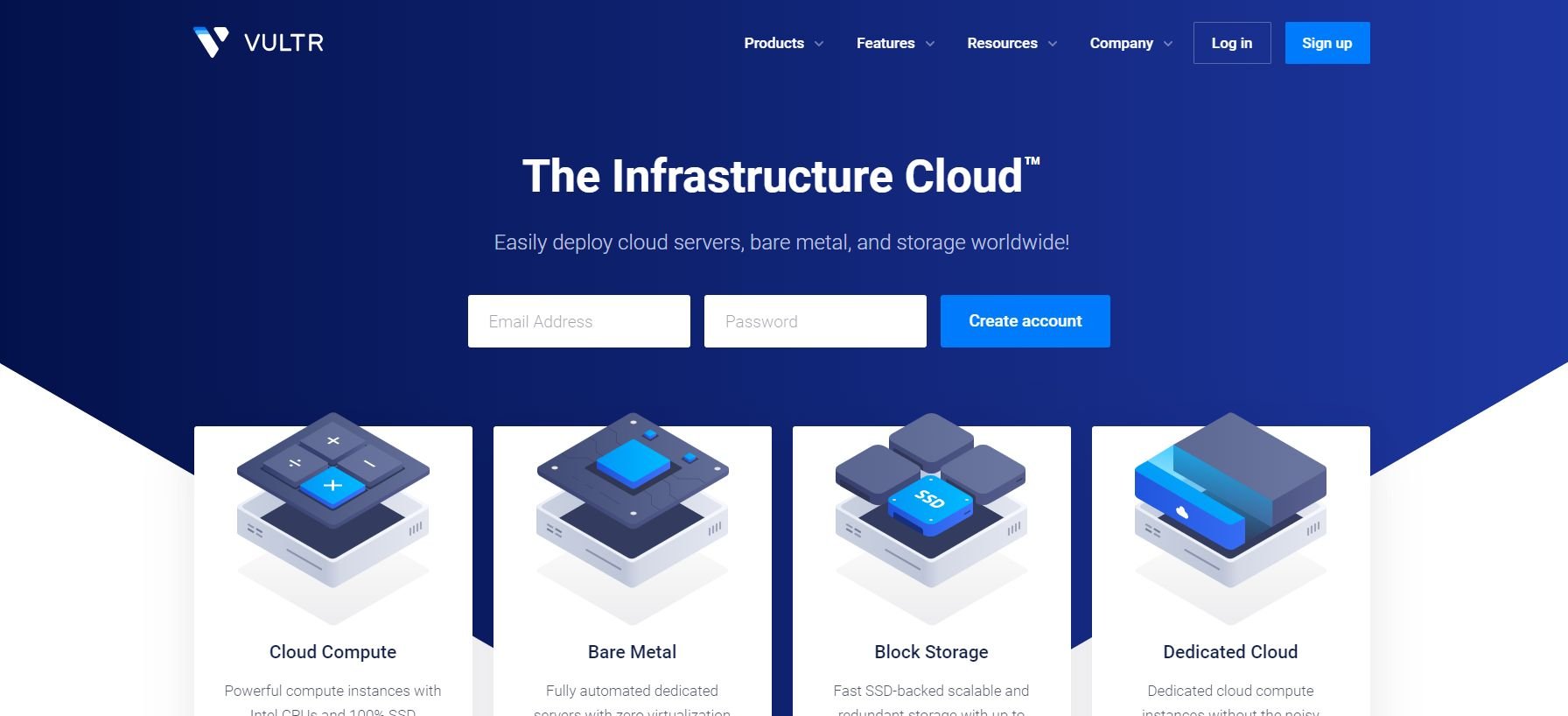
1. Vultr

vultrVultr is undoubtedly a huge name in the cloud hosting league. Even though founded in 2014, their personnel have brought over 20 years of experience which has expanded their services into 17 locations.

Hosting with Vultr starts at $2.50/month, their customer support stands strong, everything is wrapped neatly in their custom dashboard and if you want to know more, our Vultr Review has it all.

Advantages over DigitalOcean

  • Best performance everywhere. No matter if you’re in London or Amsterdam, Vultr’s wide network coverage can reach you anyhow.
  • Access your servers remotely. Vultr offers complete mobile support for smartphones, tablets, desktops, and laptops so you can manage your hosting service in any way you want.
  • An intuitive dashboard to track every activity. Vultr’s dashboard summarizes everything neatly so you don’t have to go through the mud figuring things out.
  • Vultr offers maximum OS support for all systems and even allows an option to upload your own ISO file that you can run on any of their servers.

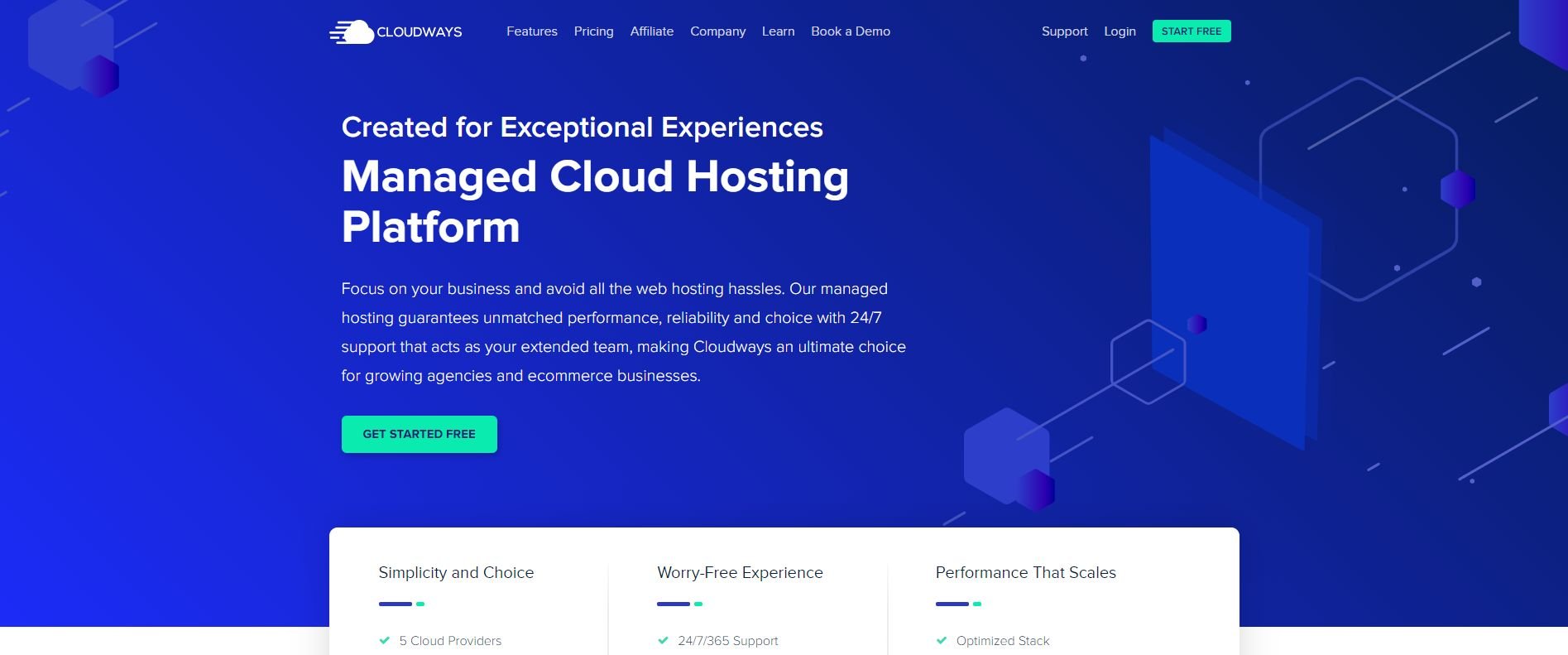
2. CloudWays

cloudwaysCloudways in many ways feels like every man’s best cloud hosting. You get all the main members here: WordPress, Magento, Laravel, and Php hosting services. Especially with Php, you can basically run any app with no issues.

In fact, DigitalOcean and Vultr are one of their cloud providers so there is no shortage of options. But avoiding those, plans from Linode start at $12/month with tons of ready-available features like SSL, CDN, dedicated firewalls, team management, and much more.

Advantages over DigitalOcean

  • Better suited for people simpler needs and do not require the technical prowess required to use a certain service. You get 5 data centers to choose from including a free trial period
  • No emergence of a contract. You don’t have to be tied down for a long period of time with unnecessary policies that make a service feel like a boulder to push on the top.
  • Custom CDN with top-notch performance and globally-acclaimed response times. Integration is simple and lies a few clicks away.
  • Global availability with 60+ data centers supported by 24/7 working customer support with even technical senior support once you move to premium.

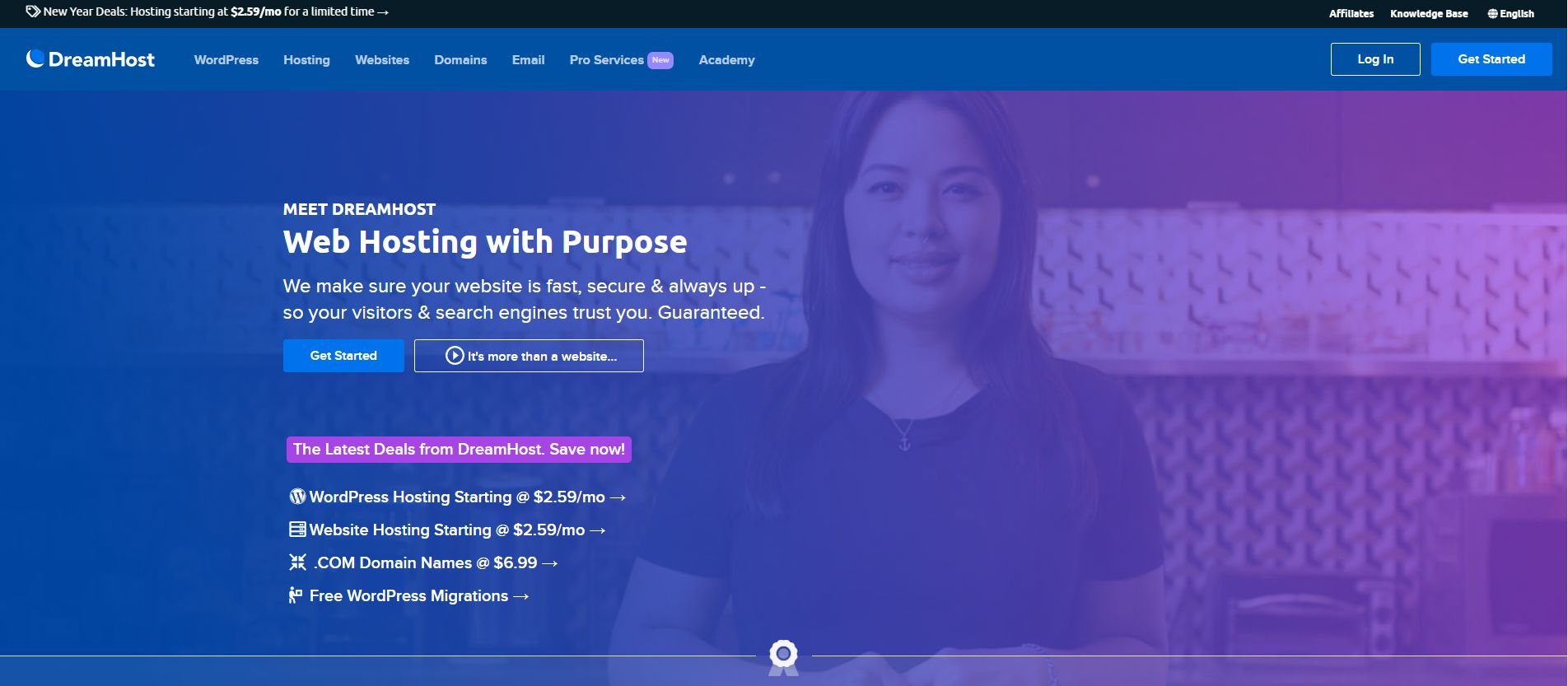
3. DreamHost

DigitalOcean Alternatives: DreamhostDreamhost remains to be our 4th most popular choice for web hosting but what truly makes it a popular choice is its long-time commitment to being cheap but not cheap enough that you lose quality.

Of course, there is a Dreamhost Review. There is no fixed pricing with each plan. It all depends on the use. Hence, there is a by-the-hour pricing policy which is great considering how much functionality can differ on a cloud server.

Advantages over DigitalOcean

  • Again, a much simpler option bundled with a tech stack consisting of Redis, MongoDB, Python, Ruby, and Node which sums up their main cloud computing prowess.
  • Pay-by-the-hour system with specific limits so that you don’t run over your bill. You get full root access and OS control so you can tinker things to your choice.
  • Pro services include marketing services, website management services, custom web design, SEO marketing, and much more. And that too at affordable rates.
  • DreamObject is an efficient option for cloud storage which makes it great for Web App Development, WordPress Backups, Free API Requests, and even comes with the option for a prepaid plan.

4. A2 Hosting

DigitalOcean Alternatives: a2hostingA2Hosting is the pinnacle of affordable & quality hosting with shared plans starting as low as $2.99/month and features like 100 GB SSD storage, free migration, and SSL protection. A2’s turbo servers are something we talk in length about in our A2 Review.

Now coming to the cloud, you get plans starting at $4.99/month which is similar to DigitalOcean but you get more in features and a choice between standard VPS and turbo VPS which means higher pricing but in exchange, you get top-tier features like RAM up to 32 GB.

Advantages over DigitalOcean

  • A2’s turbo servers are faster than anything else you might be used to. Faster load times, response times, cache cleanup, you name it and with up to 8-core servers at your disposal, the sky’s the limit.
  • Full root access to do anything you want. The ability to have it managed as well as giving complete control to the user is impeccable.
  • A neat library of web hosting guides and intuitive articles for beginners to educate themselves into their subscribed service. In contrast, DigitalOcean has no such venue for novice learners.
  • As opposed to regular clouds, A2’s prices remain static instead of changing per usage. This is great if you’re looking for a steadier form of service instead of scalable.

5. DigitalOcean Alternatives: Hostgator

DigitalOcean Alternatives: hostgator

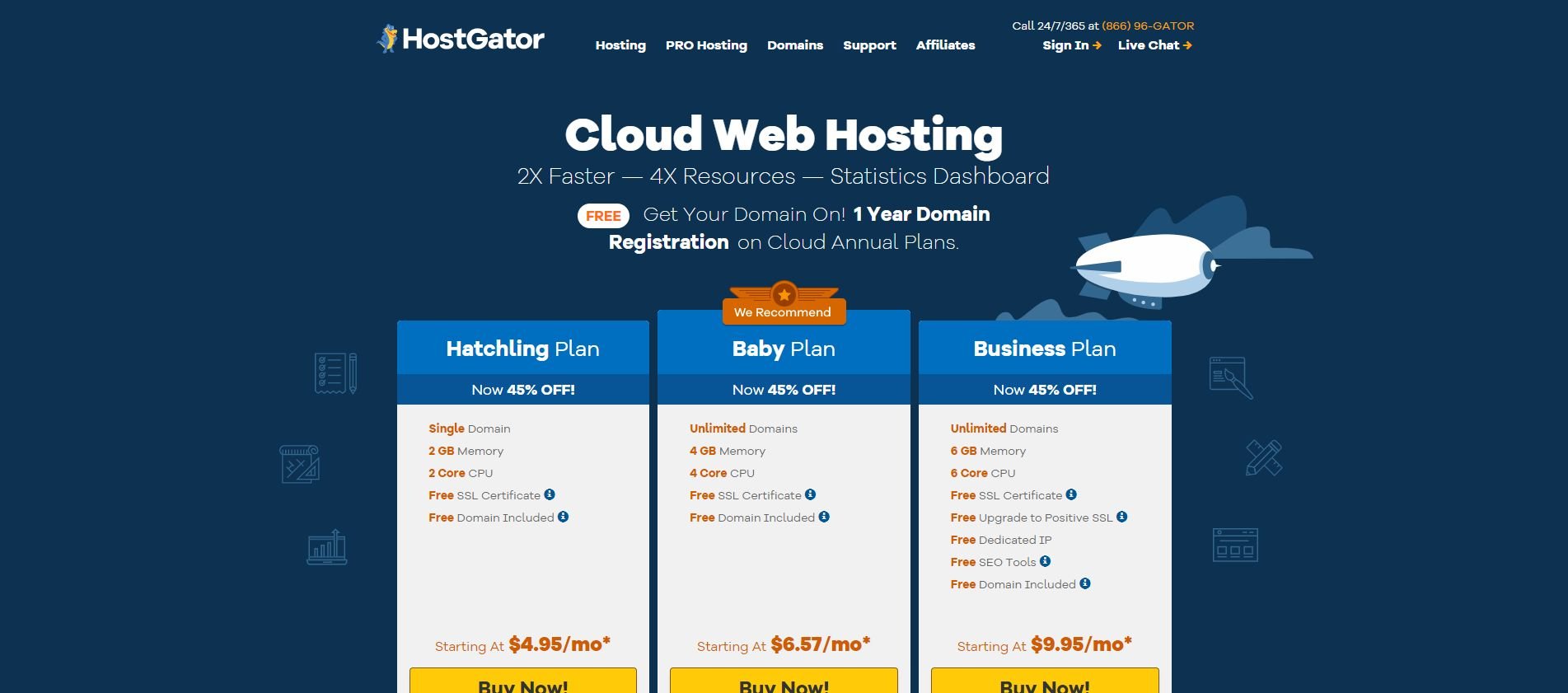
HostGator is another affordable option but unlike A2, it has a better visual language. The website looks very good at first sight, their customer support is one of the best, and they offer some unlimited perks like sub-domains, parked domains, bandwidth, and storage.

As for what makes HostGator unique, they have a few standout features like integrated caching, resource management, a unique dashboard which is always welcome, and our HostGator Review that has a few cons to consider as well.

Advantages over DigitalOcean

  • 4X More Scalable resources which means more room to grow and less worrying about downtime and that too start at $4.95/month.
  • An automated failsafe feature that automatically restores your site to another server if any technical issues arise and cause un required downtime.
  • Cheapest 6-core CPU deal you can get under $10 with additional features like 6 GB RAM, unlimited domains, positive SSL, SEO tools, and much more.
  • Their intuitive dashboard de-complicates a lot of information like report stats, uptime, download speeds, resource & inventory management, etc. that otherwise would require technical input.

DigitalOcean Alternatives: Conclusion

So DigitalOcean isn’t perfect. We already made that clear but then which one is worthy enough to take its place now that we have 5 alternatives in line?

In our opinion, Vultr balances a lot of the similarities that come with DigitalOcean and then adds a few of its own to round up a more than competent rival.

On a different note, CloudWays could’ve been a great option as well and it is good in its own right but its dependency on third-party cloud servers is something that could irk a few people.

If you’re okay with such a configuration then we’d say CloudWays is just as good and worthy of your recommendation.

As for the remaining options, they fit best with the everyday audience that needs the power of cloud but not the technicalities or the niche advanced features for more price.

Let us know what are your thoughts about our DigitalOcean Alternatives in the comments below.

Bluehost VPS Hosting – Review 2025

Bluehost VPS Hosting

If you’ve never heard about Bluehost before then here are a few facts:

  • Affordable Pricing
  • 99.9% Uptime
  • Great security and customer support

Bluehost offers a variety of hosting options. But it is popular as a WordPress Hosting service due to its ease-of-use features to host, design, and launch a website all in one place.

However, it provides Cloud Hosting, Dedicated Hosting, and VPS Hosting. VPS Hosting is an interesting choice for an ease-of-use-focused hosting service.

It is essentially a dedicated server with a virtualized environment and divided resources among you and other users.

Essentially, your resources are your resources. They don’t get reallotted when you are not using them. This gives you the benefit of both stability and performance.

Just log into the server and it’s almost like you’re using a local PC.

VPS Servers are the go-to option if you need the following:

  • Cloud PC to run web applications for your clients
  • A safe environment to run & test new features
  • Need a centralized cloud storage

So if you require any of the above caveats on top of a traditional web hosting setup, this review is for you.

What could make Bluehost your VPS Hosting choice? Let’s find out.

Performance

Let’s start with Uptime.

You cannot talk about a good web hosting service without a near-perfect uptime score.

Simply put – All servers go through a wave of downtime due to various reasons. It could be a few minutes, a few hours, or even a few days.

Until we achieve a 100% server upkeep standard, a strong 90-99.9% will have to do.

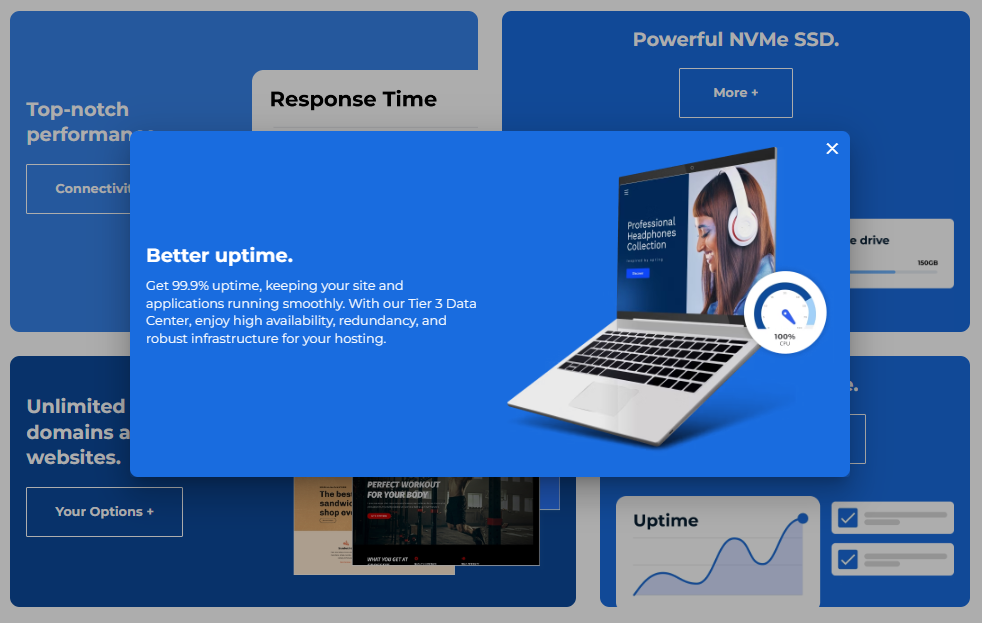
As evident, Bluehost’s Tier 3 Data Center (99.982% Uptime) is a notch-down from Tier 4 Data Center (99.995% Uptime) which is a hairline of a gap in general terms.

It is safe to assume that your web application or test environment will be safe from any productivity gaps.

Moving on to hardware specifications.

Since any OS can be a little demanding on hardware, most VPS Hosting offerings have advanced hardware like SSDs, multi-core CPUs, more memory, more storage, etc.

So you can run any advanced applications without worrying about processing power. But more features also mean more costs.

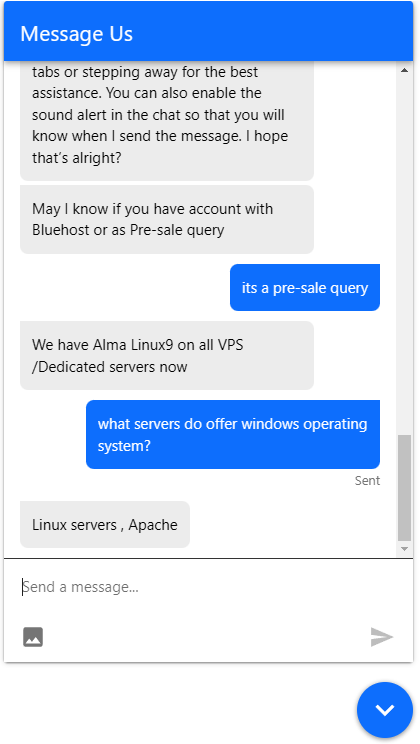
Speaking of OS, all VPS servers run on Alma Linux 9 which is an open-source enterprise-level Linux distribution. It is the Linux variant that has successfully replaced CentOS as the default server OS choice by many.

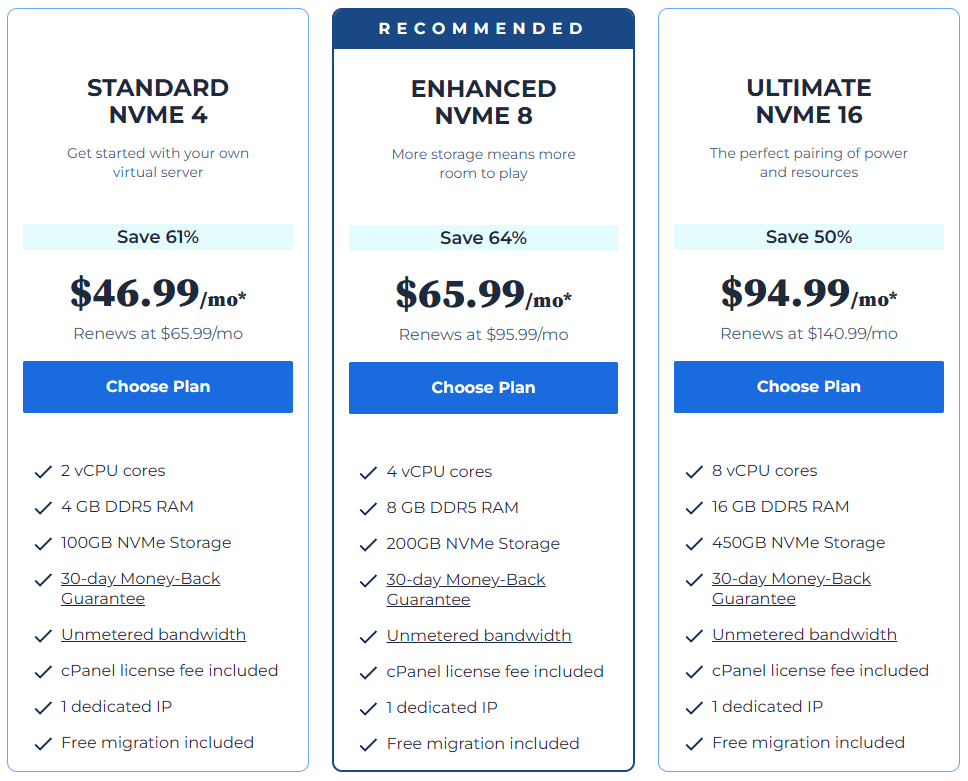
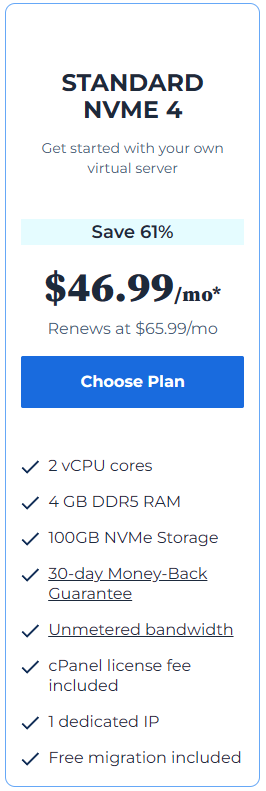
They don’t particularly explain it through the website but NVMe 4 refers to NVMe SSD combined with 4GB of DDR5 memory.

It’s the most fundamental resource used in web hosting servers; thus, all the software that runs on your VPS Server needs some RAM and SSD to run efficiently.

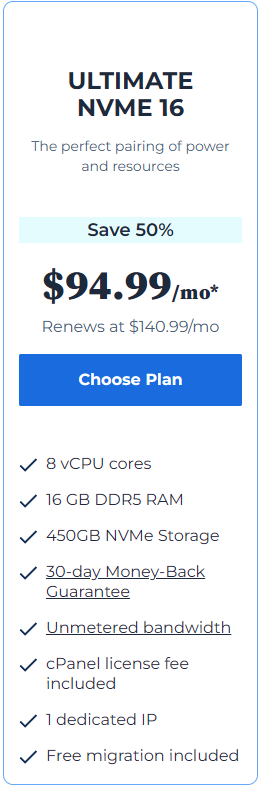
The lowest plan starts at $46.99/month with unmetered bandwidth (there is a limit to the resources you use and you’ll know when you cross it).

The first thing is you can upgrade anytime you want. Start small then go large—no need to worry about scale right away. The second thing is that you can get a lot more bang for your buck with a less resource-intensive OS.

All plans come with DDR5 memory which could let you do more resource-intensive tasks in quantity.

The top plan goes all the way up to $94.99/month with only hardware specifications going up and the rest like cPanel license, dedicated IP, and migration features being the same.

At this point, some more features like unlimited bandwidth, managed support, more storage, and your email domain would be nice.

But hey, you get an 8-Core AMD EPYC CPU at a price that is nowhere near the competition.

Features

Apart from performance, features make up the bulk of your server experience.

Let’s start with the big one: Security.

To make your VPS server experience secure, Bluehost employs a mix of different security measures to ensure total data safety:

  • Firewall Protection
  • DDoS Protection
  • OS Updates
  • SSH Key Authentication
  • Data Encryption

On top of that, you have the built-in features of Alma Linux 9 like Errata, GPG Keys, Security Mailing List, OpenSCAP, OVAL, and much more.

A combination of all the security features makes Bluehost one of the most secure hosting services in the market right now.

The next thing is cPanel.

Bluehost explicitly includes the cPanel fee within the plan itself.

Anyways, cPanel is arguably the most reliable and easy-to-use server management platform. Due to much popularity, cPanel even has its own hosting services available.

The feature list includes File Manager, FTP Accounts, FTP Connections, Directory Privacy, Anonymous FTP, Backup Wizard, and much more.

Although an otherwise great offering, an option to opt-out for people with different priorities could’ve been good. However, cPanel is the best option if your goal is simplicity.

The last one is a Dedicated IP for your server and spammers certainly don’t like this one!

A dedicated IP is not only a great security measure, but it also establishes safe remote access.

You also have a reduced risk of being IP blacklisted, better file transfer speeds, smoother access to your website, and a reputable mark of authenticity.

So far, the feature list is modest. Many hosting services bury extra features that may or may not be significant in the long run. After all, it is the performance that speaks the most when it comes to VPS hosting.

Customer Support

Bluehost offers several customer support outlets, including:

  • 24/7 Live Chat
  • Phone Support
  • Email Support
  • Knowledge Base
  • Community Forum

Out of all the interactive options, Live Chat and Email Support are 2 of the most valuable.

Email Support is great if you want to keep the interaction formal with an easy-to-follow thread. This option is handy when you’re dealing with a very complex issue that would require a lot of back & forth with dozens of screenshots and files.

However, Live Chat is just as good when you want to solve an issue on the fly.

24/7 Live Chat is a commitment that can be difficult to come through. Many companies claim an all-around service but in many instances, you end up dealing with bots.

Not the same case with Bluehost.

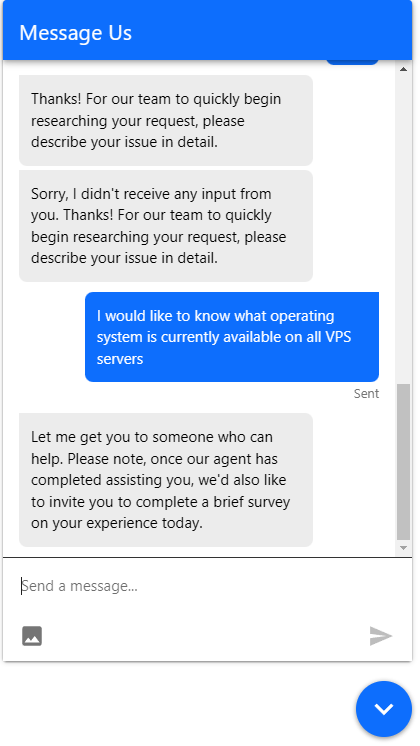
At first through a bot, and I had to get through a few annoying prompts but after a few messages, a human representative was available for some VPS chit-chat.

They asked me to be a bit more specific about my query which is fair. The conversation was on point and smooth albeit a bit messy at the beginning. You don’t have to wait too long to get a response.

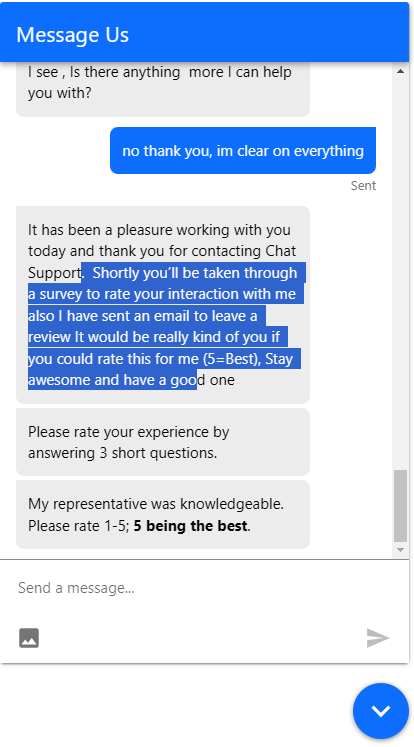
The conversation was informative, to the point, helpful, and pointed me in the right direction. If you get into trouble and require help at the last hour, 24/7 live chat can be a godsend.

You can also send screenshots through the prompt by clicking on the image icon. All in all, 24/7 Live Chat live up to its name.

Bluehost has FAQs available on all product pages. But they are centralized here in the Knowledge Base.

You can type a query, search for it, read the article, and try the solution.

The advantage of a Knowledge Base is that you get to learn everything in detail, at your pace, and with complete trust. It bridges the gap between quick service and a lengthy phone call.

Now if you’re new to VPS Hosting and are curious about how everything works, with the knowledge base you can find whole guides on how to get going.

This includes How VPS Works, Pros & Cons, Various Kinds of VPS hosting, hosting comparisons, knowing the hardware, security, reliability, and much more.

Plus, Bluehost also has great community support where you can reach out with any specific query and find answers. A very niche feature for a company as big as Bluehost.

Hence, there is no shortage of getting help with Bluehost. If you want, you can go to their website right now and resolve any budding questions you have regardless of the topic.

Conclusion

So should you buy a VPS server from Bluehost? Have you read everything till now and still feel confused?

Let’s do some Pros & Cons–

Pros

  • Great Performance
  • Useful Features
  • Customer Support with Community Support
  • Better Security
  • DDR5 Memory

Cons

  • Pricing could be better
  • Customer support can be quicker

Now, Performance & Security is a no-compromise deal. You need good hardware for VPS hosting even if it comes at the added cost.

Secondly, delays in live chat can be written off as incidental. My query was also a pre-sales query meaning a less-priority one.

These are not all deal-breakers.

For performance’s sake alone, you get access to AMD EPYC Processing Units which are top-of-the-line enterprise products.

You get NVMe storage, unlimited domains, great response times, cPanel server management, free migration service, guided server setup, unmetered bandwidth, and much more wrapped in a 30-day money-back guarantee.

Plus, you can start small, see if it works, and then scale-up as it goes.

So give Bluehost a shot.

Did you give it a shot? What is your experience with Bluehost? Did you buy another hosting from Bluehost?

Please comment down below.

Best Web Hosting Companies for 2025 (No. 1 is our favourite)

Want to know the answer right away? Based on our extensive testing and experience, the best web hosting is Bluehost.

From the title, you may think: What does Best Web Hosting really mean?

  • Is it affordable pricing?
  • Is it a 99.9% uptime guarantee?
  • Or is it great security and customer support?

Our answer: A bit of everything

There are so many web hosting services out there that choosing is risky. You can find a web host that is very inexpensive, but does a terrible job keeping your site up.

You may also find an expensive web hosting package that looks like it will provide premium service, but doesn’t have the features you need.

No need to worry:

We have tried and tested over 100 web hosting services, (and counting) have helped 2,158+ bloggers and businesses select their suitable choice of hosting service.

Based on that experience, and taking into account crucial factors like performance, price, features, support, and more, we’ve found five great hosts stand at the top.

How to become a Virtual Assistant in 2025 (Tips, Tools & More)

victor Miller

Being a Virtual assistant is among the most sought-after careers today.

Especially during the pandemic outbreak, people don’t want to expose themselves outside. That is why they transition from being office workers to full-time virtual assistants.

Who would not love working from home and being your own boss? Being a VA is a wonderful career opportunity that gives work-life balance. It also offers flexibility and continuous upskilling.

If you want to be one, this article will guide you through the ins and outs of being a virtual assistant.

Virtual assistants

What is a Virtual Assistant?

A Virtual Assistant (VA) is a person that works for a client. VAs supports the client’s business from a remote location.

Being a VA entails that you are a self-employed person performing various tasks. These include administrative, technical, sales, or marketing tasks for a company.

This means all you do for a client or its business is done online. Thus, permitting you to work anywhere you want as long as you are connected to a reliable internet.

In most instances, VAs provide support for business owners. That means they maintain their clients’ calendars and daily schedules.

They also respond to emails and gather data on sales targets before meetings. Furthermore, they do tasks like ordering food for their employees on-site.

Some virtual assistants wind up doing technical tasks. This task includes running many programs to locate leads and business possibilities. This also involves planning social media postings, email campaigns, and monitoring marketing data.

You can choose your niche or specialization. But, before applying for a job as a VA, you should have an idea of the tasks you feel comfortable with.

What Skills should Virtual Assistant have?

A client can delegate any tasks to a virtual assistant. If you’re a VA, you may sometimes carry out a few particular duties only for the owner.

In other situations, you could be an essential component of core business operations. You could also have a sense of belongingness to the team.

Being a virtual assistant enables you to be adaptable. Explore various tasks and challenges before specializing in the ones you prefer. But, the tasks assigned to you would also depend on your skills.

If you’re a VA or planning to be a VA, here are some of the key skills you need to have.

1. Communication Skills. A VA should have exceptional communication skills because most clients only speak English. Outstanding oral and written communication skills are essential to have.

This is because as a VA you will be handling emails, reports, and presentations. You do phone calls which are all key ways in which businesses converse with clients.

Knowing how to write well is always going to be an amazing skill to have.

2. Good Decision-Making. Since virtual assistants frequently have to make quick decisions, decision-making skills are fundamental.

A VA will have to decide on the best course of action or think outside the box to come up with a workable solution.

If the company owner is not available to address queries or concerns, the VA comes to the rescue. If an issue emerges, a VA may also need to think. This showcases their ability to digest information quickly.

3. Customer Service. A virtual assistant should have exceptional customer service skills. This skill helps VA to better work with clients and customers.

Thus, a VA should maintain composure in all circumstances. They should perform well under pressure.

Additionally, a VA should communicate clearly over the phone or via email. They can go above and beyond to make a welcoming experience for both the client and the business.

4. Computer Skills. Since computers are used in every VA work, it’s essential that every VA have more advanced computer skills than the bare-minimum. being able to switch on a computer and run a few programs is insufficient.

Clients need VAs to have an excellent working knowledge of software applications. They need to learn Microsoft 365, Access, Excel, and Powerpoint. If you are an aspiring VA, you have to study these tools.

Additionally, having access to the internet and the ability to conduct online research are both crucial. Virtual assistant tasks frequently develop into providing project support.

This can be done by looking up contacts, companies, and other information that will help the business.

Sometimes clients need maintenance and help for their business website or database system. In that case, they need advanced internet abilities.

Having these skills may increase the value of virtual assistants. This skill is also typically specified as a separate skill need.

5. Love For Continuous Learning. As a business owner, your client aspires to reach the point where a VA can work with less supervision. And to do that, a VA should be able to show that they are eager to pick up new skills.

According to a proverb, no matter how hard you work, if you don’t love what you do, you won’t prosper. With this mindset, you’ll have the chance to take on more precise jobs.

A virtual assistant who seeks out new learning opportunities can succeed in his chosen niche.

Virtual assistants

Here are some of the most common specializations or services a VA provides:

General Administrative. If you’re a General Admin VA, your tasks include managing a calendar or sorting emails. You may also take phone calls, schedule meetings, and perform other duties.

Project Management. Some VAs manage projects for company owners. You will arrange meetings and gather updates from the team.

You will write reports on the project’s development. You can also be in charge of making sure projects are completed on schedule and within budget.

Bookkeeping. Every business needs financial support. Smaller businesses may need help with processing payments.

Tasks include confirming expenditures, payroll, and developing monthly budget statements. This can be a nice place to start if you’re strong with statistics and business.

Content Writing. Some VAs are also tasked to write content for the business’ site such as blog posts. Additionally, VAs can also be tapped to work on writing web pages and other related content.

E-Commerce. Virtual assistants are frequently used by e-commerce businesses. Tasks include helping with managing existing orders. VAs may also work on locating customer tracking numbers, and managing inventory.

Social Media. Social media management includes scheduling and posting on social media. Tasks are responding to comments and assuring the company’s good online presence.

In this niche, VAs are also required to have the basics of graphic editing to be able to edit photos well.

Additionally, as a VA, you may be also tasked to do social media marketing campaigns. In this task, you set expenditure limits for campaigns.

You choose ad targets or take ad campaign reports. Furthermore, compile the necessary information for your boss.

Do you need Training to be a Virtual Assistant?

As long as you put in the effort, you can be a VA. You just have to learn on the job and have the ability to get better.

There is no formal training needed to succeed in a VA career. But, some specialized industries might mandate VAs to take more online courses.

This helps to better equip them to handle the particular difficulties of the work.

Virtual assistants

Tools and Resources for Virtual Assistant

If you’re a VA or an aspiring VA, you need to have tools that help you manage your daily workloads.

You should have resources that will help you get more productive each day. It’s essential that you have the appropriate tools for the work as a virtual assistant.

First of all, the phrase “Virtual Assistant” refers to a wide variety of jobs. Even yet, the majority of the top VA professionals may optimize their productivity utilizing the same tools and resources.

Time Tracking Tools

It’s likely that you work from home if you’re a virtual assistant.

Traditionally, businesses would track your daily log-in and log-out activities using biometrics. But now that you work remotely, your client needs the means to know how many hours you’ve spent on projects.

If you work as a freelancer, you may want to be paid on an hourly basis. But, if you work for a BPO firm, you’ll typically get a fixed bi-weekly salary.

You also need a time tracker that includes a task tracker. Additionally, the app needs to support exporting reports in case users want a backup.

Accounting and Financial Tools

If you are a VA specializing in accounting and finance, you need tools to do tasks like invoicing. Some of these said tools are QuickBooks and FreshBooks.

Tools for Documents

In any business, documentation plays a vital role. Proper documentation is important. This is to safeguard all the important facts and information of clients’ businesses.

Thus, VAs should have tools that could quickly edit, process, and distribute papers.

These tools include but are not limited to Microsoft Office Programs, Google Docs, Sheets, Slides, and HelloSign.

Graphic Design Tools

Clients may occasionally request basic graphic designs. This can be for their websites, online stores, or other purposes.

It’s likely that you are already familiar with these tools if you work in the graphic design niche.

One of these tools that are gaining popularity nowadays is Canva. What makes Canva the best is its free feature.

But, if you want to use other features, then you can upgrade your account and just have to pay a small premium fee. But, mostly, everything you basically need to edit a graphic is present in its free version.

SEO Tools for Virtual Assistant

VAs are writers too. If content writing is your niche, then these SEO tools are a must-have. This helps in optimizing your output for Google’s Search Engine.

Although SEO might seem overwhelming at first, it will get easier as you pursue learning.

The most fundamental rule for SEO is a working knowledge of keywords. You can do this by utilizing tools like SEMRush, Ahrefs, or Moz. You must pay a monthly charge to make use of these products’ full features.

To get suggestions for long-tail and short-tail keywords, you can also use free plugins like Keywords Everywhere.

How to Market Your Skills to Get More Clients?

There are various ways to get clients. You may want to create an account for UpWork and Fiverr. These two platforms are the most popular and are commonly used by VAs around the world.

In creating your account, you can include a video of yourself, specifying your past experiences and your skills.

You should also include your portfolio. You can also get more clients at FreeeUp and OnlineJobs.ph. Make your profile appealing and of course realistic to catch clients’ attention. Take note that you do not have to lie to get clients.

Honesty is always the best attitude a VA should have. In marketing your skills, that’s where honesty starts.

Expert Virtual Assistants on how new VAs can get new clients:

Sonnie

“New VAs have to equip themselves with skills that are valuable in the field or niche they chose and be able to clearly present what they can do to help the client.”Sonnie Lyn Contreras

“Continue to develop your skills so that you can solve client’s problems. You can also get new clients by explaining how you can add value to the company. When looking for clients, don’t just focus on one platform.”Fredeliza Espiritu

Fredeliza Espiritu

How to Keep Clients Happy

A happy client is a happy gain.

Why?

If you make your client happy, that simply means you were able to help him in his business and that is both a gain to you and your client.

Below is a list of simple ways that will help build strong client relationships.

  • Constant Communication
  • Understanding Their Business Needs and Goals
  • Going Above and Beyond
  • Working With Honesty and Integrity
  • Valuing Your Client’s Point of View
  • Building Rapport
  • Good Time Management
  • Taking Decisive Action
  • Establishing Unique Relationships

Expert Virtual Assistants on how to keep clients happy:

Sonnie

“Identify what they need and the problem, and help them fix it. Always try to go above and beyond the client’s expectations.”Fredeliza Espiritu

“Be proactive and solution-focused! Clients hire VAs because they need help.”Sonnie Lyn Contreras

Sonnie

How to Charge Clients so you Earn what you are Worth?

Let’s go right to the point here. Everyone wants to have a job they love. But, it’s much better to have a job that pays the bills. And of course, lets you go on vacations without emptying your pocket!

How much money do virtual assistants actually make?

Salary and hourly rates for independent virtual assistants might vary considerably. You can expect to start out in the $5–$12 per hour range for many entry-level positions and skills, such as data entry.

But you can always raise your pay as you specialize.

For more complex work like customer support, email handling, WordPress maintenance, and other tasks, VAs can charge $15 to $25 per hour.

Higher rates for independent administrative VAs range from $30 to $35 per hour.

That said, your earnings will vary on what niche you are in.

At the start of your VA career, if you are not making enough, you can always check other ways to make money online till your career gets on a steady path.

Working with an Agency vs. Going Solo

Business owners can have a difficult time deciding whether to hire a VA directly from a VA agency or look for an independent VA to assist them.

The virtual assistant market is growing. The gig economy continues to thrive and more and more people find themselves exploring a remote work lifestyle.

You may have made up your mind that you’re done with the 9 to 5 job where you’re chained to a desk.

But now, you have to choose whether to start your new career as an independent VA or with an agency. Of course, each has advantages and disadvantages, so let’s examine them all to choose which route is best for you.

If you are an independent VA, you are your own boss. That means you run the show. You can set your own time and rate depending on your and your client’s agreement.

You will get 100% of what you earn. But, you’ll have to possibly enrol yourself in specialization courses at your own cost.

If you work for an agency, that means they can provide free training and specialization courses for you. They will help you find a client as well.

To compensate for that, most agencies take 20% of what you earn. For example, if you earned $1000 in a month, you will only receive 80% of it which is equal to $800.

If you are new to the VA world and haven’t gotten enough resources yet, going to an agency may benefit you.

Working as a VA gives a level of freedom and independence that you just can’t get within the walls of a regular office structure.

Determine which path is best for you by assessing your needs and future aspirations, and then take the path where you belong!

In a Nutshell

How to become a virtual assistant is the most significant question you’ve asked yourself.

Fortunately, the VA world is highly known and in demand, making it simpler than ever. After creating your profile and résumé, browse for businesses that need a VA’s support.

Because there is such a strong need for excellent VAs, it is that easy. And you enjoy all the advantages, like the freedom to work remotely and the chance to meet potential clients where you wish to work.

Highlight your abilities, flaunt your communication skills, and show that you are ready to get to work right away.

We hope this article guides you in finding your first virtual assistant career. It will also help in taking the initial step toward working as a Virtual Assistant.


ProtonMail Review: Is this Secure Email Provider?

Let’s talk about ProtonMail in this review.

But first, hear me out:

Ask any person to think up an email service and more so often than not, the answer is either going to be Gmail or Outlook, two giants that cover a huge piece of the business ; personal email market share.

Now as popular as they are, nothing is flawless. Gmail suffered from a data leak in 2014, with about as much as 5 million passwords being leaked and last year Outlook’s security being breached by hackers.